
Manage your server easily with the ToolKit
The ToolKit is an application with a range of tools that help you manage your server: advanced and easy editing, file comparison, server-side exporters and much more.
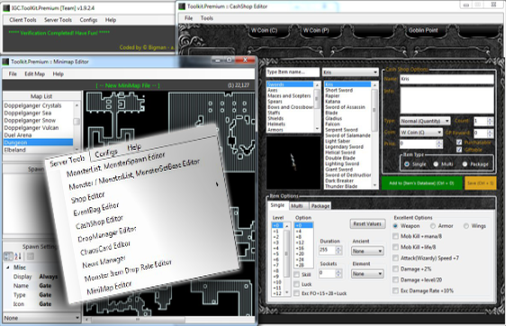

Flexible content data
Most of the data displayed in the ToolKit is managed through configuration files that work as a database for the tools. The ToolKit gives you the freedom to customize the content of the editors: add custom map images, update the item, monster or map databases.
The ToolKit helps you manage almost anything
A powerful set of editors to manage server and client files
Monster List and Spawn Editing
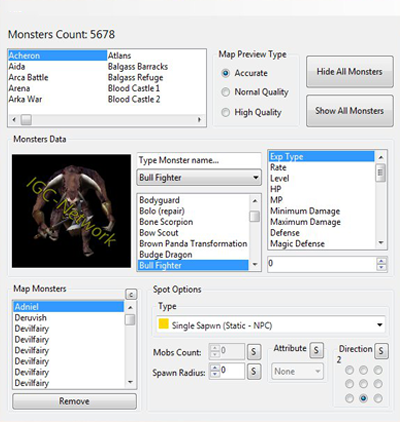
Manage monsters and their spawns in an editor that is easy to read and use. This simple and powerful tool lets you set up monster spots quickly and easily. Choose the map of the spot, select the spot type, and set the number of monsters, the spawn range, the monster attributes and the direction the monsters face after they spawn.
On top of that, you can edit monster statistics while you add the spot to the map, e.g. change the attack power or defense of a monster, give it elemental attributes and much more.
All default monsters are shown in the monster preview area, neatly built into the editor window.
Spots Preview
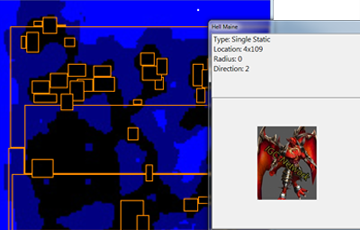
Spot areas drawn on the map view are another advantage of the Monster Spawn editor of the ToolKit. Manage advanced monster spots across many different locations. The map view shows them clearly, so you can see the range of the spots and the areas of the map that need better coverage. The drawn spots give you a better picture of multi-spot areas and single-spot monsters.
Shop Editing
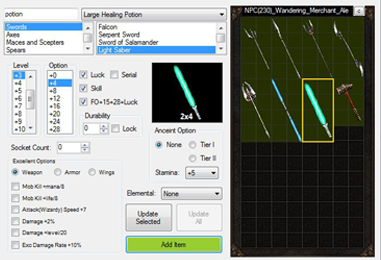
The visual shop editor makes configuring the Merchant NPCs of your server quick and simple. Real-time search of the item database finds the item you need very quickly. Set the item level, apply skill, luck and a range of available options with a single click. To correct an item, select it in the shop view, change its configuration and update it with one click. Existing shop files can be loaded and edited directly.
Event Item Bags
Event Item Bags can be assigned to events or monsters: they are bags of items that drop under specified criteria.
The ToolKit editor manages the criteria and the items, with neatly organized settings. The ToolKit supports the extended version of Item Bags, available only for the IGC Server Suite files, as well as the TXT version popular among other server files.
The Cash Shop
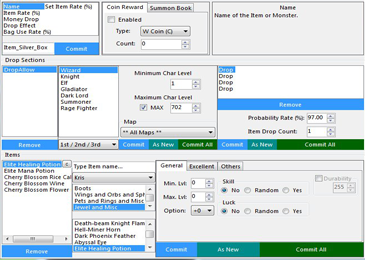
The Cash Shop is a built-in game shop system that lets players buy items directly in the game for Coins purchased earlier (through external modules). The ToolKit includes a complete Cash Shop editor. You choose the currency the items are offered for (one of 3). You can also define your own shop categories, which makes every shop unique.
Items can be added to the shop in three forms: a single item, multiple items and an item package. The gifting system lets you define which items can be sent as gifts. Every purchase can also reward the buyer with bonus Coins.
Drop Manager
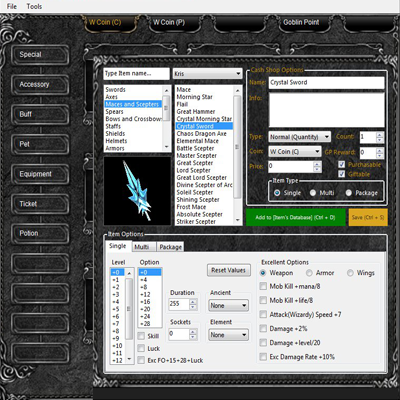
An exclusive editor for the unique Drop Manager system of the IGC Server Suite packages. The advanced drop management system and the visual editor of the ToolKit make a very powerful set to customize the drops of your server. Define character classes and their levels, select map locations and monster types, and take full control of how items circulate among your players.
Chaos Cards Editor
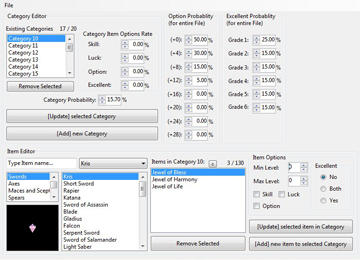
Chaos Cards are special cards that can be exchanged for exclusive items. The rewards are managed through many settings that define the criteria for exchanging the cards. They are all gathered in a neatly organized editor that lets you define every rule quickly and saves you time. Like most of our editors, this one has a real-time item database search and an instant preview of the selected item.
Monster Drop Rate
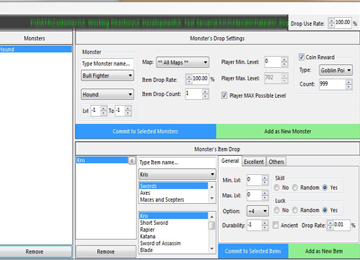
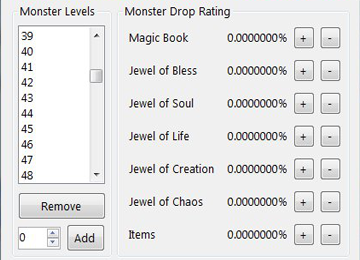
Monster Item Drop Rate is one of the exclusive systems that manage the items monsters drop. It is designed to control a selection of items, mostly the most popular Jewels and Magic Scrolls.
The editor lets you go quickly through every monster level and adjust the rates with a few clicks: the system calculates the rates of the other positions automatically.
Map Tag Editor
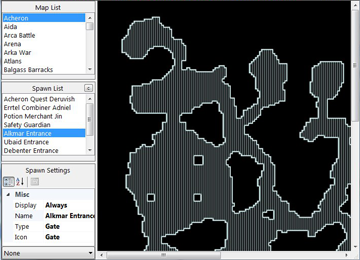
The IGC Server Suite manages the mini map tags directly from the server files.
The tags can show popular town entrances, portals, shop locations or even monster spots. The editor was designed to make tag editing easier and faster.
News Manager
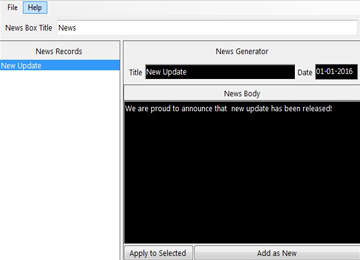
News Manager is one of the systems that keep players informed automatically. It sends predefined information as global server notices at set intervals.
Included in the Premium versions of the ToolKit: manage your server news and keep track of it in a side list.
Wider control over BMD files
With built-in navigation controls, search and an auto-translate system
Editor Navigation
A range of navigation controls helps you edit BMD files. The ToolKit lets you revert recent changes to the file or restore selected cells to their defaults, search for text, add or remove file entries and much more.
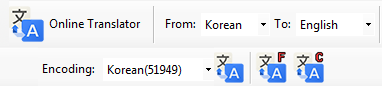
Auto Translation
The built-in translation system, based on Google Translate, does most of the translation work for you. You choose the encoding when you open and save a file, so any language can be used.
Files Compare
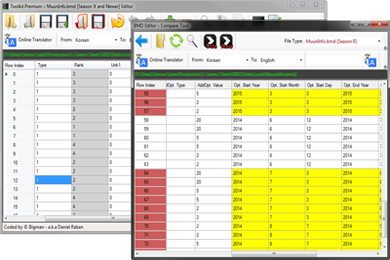
Compare files of the same or different versions the easy way. The compare window scrolls to the selected cell automatically and jumps to the next difference in a row or cell.
The compare feature is very handy when you migrate from another version of the game client, and for many other purposes.
Server and Text File Exporters
The ToolKit can export the content of BMD files directly to the server-side format, which saves a lot of time. The exporter is available for a range of files that can be exported directly from BMD. The exported files are mostly ready for the server to use.
Apart from the server exporter, the ToolKit can export the content of any BMD file to text (.txt) format, which is very useful when you want to use the data outside the editor for another purpose.
Map, image and item tools
Edit map attributes, convert images and calculate item statistics.
Image Converter
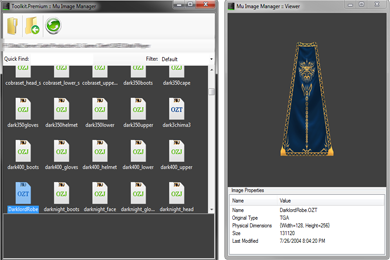
A complete converter to manage the images of your game client. Convert selected files to formats that popular image editors can read, customize them and convert them back for the client. Supported formats: OZJ, OZT, OZB, OZP, OZS, OZG, OZD, ATT.
Map Attributes
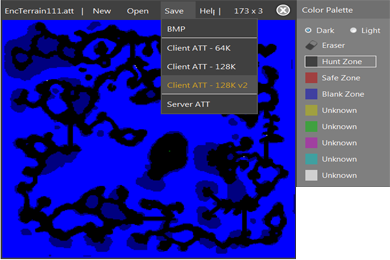
Take full control of map attributes: extend safe zones, hunting zones and more, fix any kind of mistake and save for any game client, thanks to support for multiple types of file encryption.
The attribute map view can be zoomed in and out. All the tools are at hand in the sidebar.
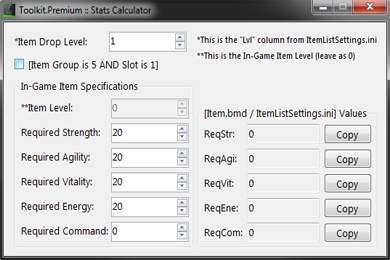
Requirements Calculator
This tool calculates the values to set in the item configuration file for the in-game stat requirements you want. Simply enter the values you expect and the tool tells you what to put in your files.
Extra decoders, encoders and editors
The ToolKit also offers a selection of handy editors and tools:
- MuError.log - Encoder/Decoder
- Enc/Dec.dat - Encoder/Decoder
- WTF (.wtf) files editor
Minimum Software Requirements


Software Distributions
- Lite - Included in every IGC Server Suite package
- Universal - Premium version of the tool, without the editors made only for the IGC Server Suite
- IGC - Premium version with all features and editors, requires an IGC Server Suite license