
LuaUI Extension: Build Your Own In-Game Interfaces in Pure Lua
A new plugin for the LuaAPI ecosystem. Custom windows, HUDs and panels, scripted entirely in Lua, client and server.
Adding a real interface to your client used to mean one thing: a DLL developer, C++, and a recompile for every change. LuaUI Extension takes that wall down. Design your own in-game windows, HUDs and panels, wire them to the GameServer, and ship them, all in Lua. No client patching, no server rebuild.
What it is
LuaUI extends the LuaAPI Core plugin with a full window system that lives on both sides of the connection. A window is two scripts: a client half that draws it, and a server half that decides what it may do. They talk over a request/answer protocol you define, so a button on screen can run server logic, hit your database, and send a result straight back to the player. Both halves are plain Lua files in your scripts folder. Nothing is registered, nothing is compiled.
Windows that look like they shipped with the client
Your windows are drawn with the game's own frame artwork, so they sit alongside the native interface instead of looking bolted on. Want something custom instead? Skin them yourself from shapes or from your own bitmap atlases. Build floating windows the player opens and drags, or permanent HUD panels that stay on screen the whole session.
Inside them you get real, interactive controls:
- Labels, buttons, images and panels
- Scrollable lists, with a scrollbar styled in colours or cut from your own bitmap
- Text fields with per-keystroke validation, including CJK input through IME
Localised out of the box
On-screen text comes from a per-language file, so a single window renders correctly for every client language you run. No duplicating windows per locale.
Built for fast iteration
Turn on dev mode for the accounts you name, and building becomes quick:
- F9 hot-reload: edit a script, save, and see it in-game with no restart
- An in-game debug console for printing live values as you work
When it is ready, ship your scripts encrypted so players load them but can never read, copy or edit your source.
Two tools in the box
- BitmapSlicer carves a UI atlas into named slices and exports them as ready-to-paste Lua cut tables (or JSON, C++, PNG)
- IGC File Encrypt turns your finished client scripts into encrypted files with one click
See it working
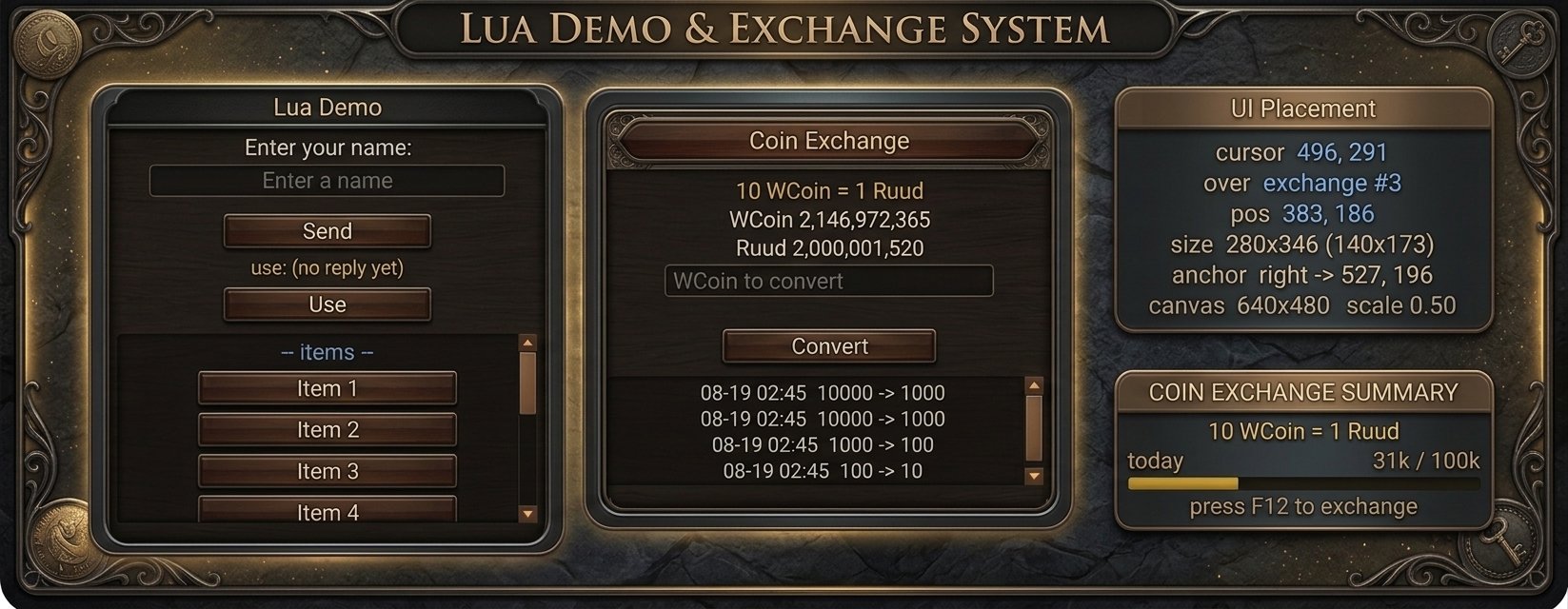
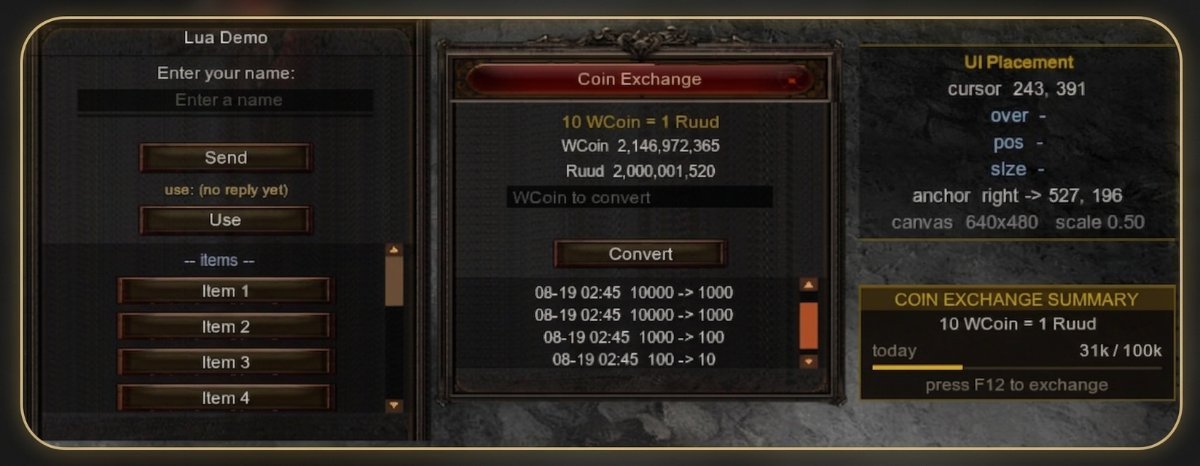
The plugin ships with a full Coin Exchange window as a worked example: a WCoin to Ruud converter with a live HUD ticker, a scrolling history list and a voucher field, its daily allowance and history persisted in the database. It is there to read and copy from, and the documentation builds it up piece by piece.
Where to buy?
The LuaUI Extension can be purchased from our store. LuaUI Core is required prior purchase.
Availability and documentation
LuaUI extends the LuaAPI Core plugin and requires it. Full step-by-step documentation, from your first window to the wire protocol, is on the wiki.


Recommended Comments
Create an account or sign in to comment
You need to be a member in order to leave a comment
Create an account
Sign up for a new account in our community. It's easy!
Register a new accountSign in
Already have an account? Sign in here.
Sign In Now