
Leaderboard


Popular Content
Showing content with the highest reputation on 16/10/26 in all areas
-
Version 1.0.11
478 downloads
⚔️ MU Online, rebuilt: Early Adopter The MU you know, on a modern engine. This is the first public test of a brand-new MU Online client built in Unity 6. It plays the Season 22 content with the original look, rebuilt for today’s PCs. No new downloads of game data: the client is a drop-in main.exe for your existing IGCN Season 22 client. It reads the original game files directly. ✨ What’s new compared to the original client 🎨 A modern renderer for a classic world Unity 6 with the Universal Render Pipeline: ambient occlusion, refreshed lighting and bloom, with the original maps, models and effects. Choose window mode, resolution and render scale in game, and play at high refresh rates. Smooth, interpolated character and monster animation. 🖥️ The interface you know, faithfully rebuilt The original Season 22 interface is reproduced window by window: the same layouts, behavior and sounds. 🔍 Faithful down to the details Hundreds of details are recreated from the original client rather than guessed, among them: skill effects and sounds every class animation ambient wildlife on every map: Noria’s butterflies, Lorencia’s birds and fish, the bats of the Dungeon flowing water and Atlans’ underwater light ⚡ Built for smooth play 🧩 Quality of life Remember your account, or your password too, and use Tab between the login fields. Run several clients at once from one installation. -clearCache rebuilds the local cache if anything ever looks wrong. 💻 System requirements Minimum Recommended OS Windows 10 64-bit (21H1 or newer) Windows 10 / 11 64-bit CPU 4 cores, about 3 GHz 6+ cores RAM 4 GB 6 GB GPU DirectX 11, 2 GB VRAM DirectX 11, 4 GB VRAM or more Storage IGCN Season 22 client (about 7 GB) plus about 3 GB free for the cache SSD First launch: the client builds an local cache from the original game files. A “Building cache” bar at the top of the screen shows the progress. Until it finishes you may notice some extra loading or lag; an SSD makes this much faster. This happens once per installation. 🚀 How to join Have a working IGCN Season 22 client. Extract the test package into the client folder. It adds main.exe and Data\Unity\; your original main.exe can be kept as a backup. Start main.exe and log in to your server! Minimum Version 22.1.1.3 T ⚠️ Early Adopter This is an Early Adopter version, some bugs may occour. Found something? Report it at https://www.igcn.mu/bug-tracker/igc-client Thank you for testing. See you in the Continent! 🗡️From €699.002 points -
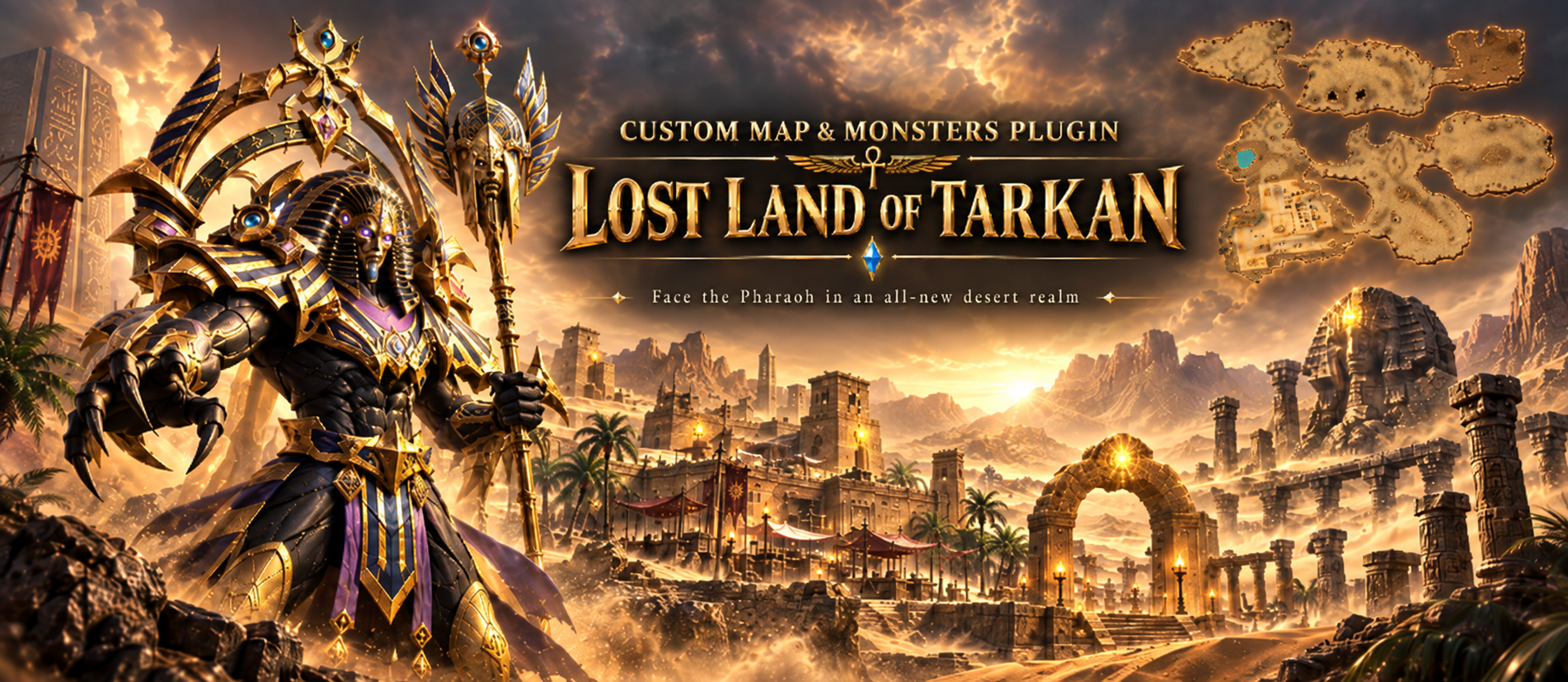 Custom Maps & Monsters: Build Your Own Worlds and Bosses in Pure Lua A new plugin for the LuaAPI ecosystem. New playable worlds and monsters from your own models, scripted entirely in Lua. Adding a world or a monster of your own to MU used to mean the same thing every time: a client developer, map limits hardcoded in the binary, and a fresh build for every model and every effect. Custom Maps & Monsters takes that wall down. Register a world, put your own models on monsters and NPCs, and give both a Lua script that runs every frame. No client patching, no rebuild. What it is Custom Maps & Monsters adds two things the client was never built for: playable worlds above the original map range, and monsters drawn from your own models. Both are configured from encrypted files, and both can be scripted in Lua. The plugin is what brings a world into the game - it does not draw one. Worlds are made and edited in MU World Creator, which is also the only way to generate a mini-map for them. Worlds the client never shipped with Register a map and it behaves like any other: warps, gates, spawns, its own music. From there a per-frame Lua script owns everything you see. Scenery animation: scrolling water, breathing lava, smoke vents, anything you can drive per frame Weather: written in Lua, from drifting snow to storms with lightning Distance fog: per map, with the sky behind the terrain matched to it Object culling: scenery past the fog is skipped, and fades out instead of popping Fading roofs: buildings open over the player, from a table or from a script Ambient sound and birds: placed slots and flocks, driven from the same script Fog and culling work on the original maps too, not only on new ones. Monsters from your own models Your own .bmd models on monsters and NPCs: scaled, tinted and lit A second render pass: glows, beams and crystals drawn over the body Attack effects: your own, or borrowed from any monster the client already has Player skills on monsters: the client draws its half, your script adds the rest Per monster: weapon slot, move speed, sound actions and render flags Built for fast iteration While the server grants dev mode to your account, the same folders load plain .lua and a console shows script errors as you work. The API is identical either way, so you develop in .lua and ship .gsc. Scripts and terrain are packed with your own 32-character key, so players load your work but can never read, copy or edit it. See it working The plugin ships with a finished map and boss you can put on your server as they are: the town of Lost Land of Tarkan and the Pharaoh boss. Beside them sit two reference builds, there to be read and copied from: Tarkan Copy, world 160 — a copied world, registered, with its scenery and weather scripted Hydra, monster 2498 — a custom model with a second render pass, lights and attack effects Every page of the documentation builds on those two rather than inventing a new toy, and both can be deleted without breaking anything else. One tool in the box IGC File Encrypt — packs terrain, scripts and config files for a live client, and renumbers a copied world in one pass Where to buy? The Custom Maps & Monsters plugin can be purchased from our store. Availability and documentation Full step-by-step documentation - from registering your first world to monster skills and the wire format — is on the wiki. Screenshots1 point