
Leaderboard




Popular Content
Showing content with the highest reputation since 06/10/25 in all areas
-
Version 21.1.2.24 S
6,508 downloads
This is x21 series of Server Suite package (S21 Part 1-2). This submission contains Full Server Suite Package of latest stable version for the series and three of most recent updates which have to be downloaded on regular basis as are being overwritten automatically with new update releases. Summary of reported and resolved issues is provided within below change-log and per specified version in the Bug Tracker If you want to be notified of further updates on this submission, make sure to follow it by clicking follow button at the top-right. CONFIG CHANGES: x21-P1-2 Interested in participating in DEV and help testing BETA releases? Check for TEST versions availability trough versions tracker. Relevant notes are attached directly to relevant TEST version.From €580.0015 points -
Version 1.15.4.0
2,662 downloads
MU.ToolKit (Premium) is advanced tool of wide range of powerful possibilities to maintain the server in all the meaning of the word. This is public version of the tool excluding tools dedicated for purpose of IGC Server Suite. Once becoming subscriber (Customer) of Server Plan of IGC-Network it is possible to switch to ToolKit version supporting IGC Features. Overview PC Requirements Windows Vista / 7 / 8 / 8.1 / 10 / 11 - x64 OS Internet Connection always online as long as MU.ToolKit (Premium) application is running (no Offline mode) .NET Framework 4.6.2 Installed Visual C++ 2015 Redistributable Package€105.006 points -
Version 21.2.3.7 S3
2,141 downloads
This is x21 series of Server Suite package (S21 Part 2-3). This submission contains Full Server Suite Package of latest stable version for the series and all incremental update packages releases within the series. Summary of reported and resolved issues is provided in change-log and per specified version in the Bug Tracker If you want to be notified of further updates on this submission, make sure to follow it by clicking follow button at the top-right. CONFIG CHANGES: x21-P2-3 Interested in participating in DEV and help testing BETA releases? Check for TEST versions availability trough versions tracker. Relevant notes are attached directly to relevant TEST version.From €580.004 points -
Version 6.1.0.90
2,570 downloads
This is x6 series of Server Suite package (S6E3). This submission contains Full Server Suite Package of latest stable version for the series and five of most recent updates which have to be downloaded on regular basis as are being overwritten automatically with new update releases. Summary of reported and resolved issues is provided within below change-log and per specified version in Bug Tracker If you want to be notified of further updates on this submission make sure to follow it by clicking follow button at the top-right. Archive Password is on the right marked with red Interested in participating in DEV and help testing BETA releases? Check for TEST versions availability trough versions tracker. Relevant notes are attached directly to relevant TEST version.From €330.004 points -
Version 21.1.1.1 S
798 downloads
This is x21 series of Server Suite package (S21 Part 1-1). This submission contains Full Server Suite Package of latest stable version for the series and three of most recent updates which have to be downloaded on regular basis as are being overwritten automatically with new update releases. Summary of reported and resolved issues is provided within below change-log and per specified version in the Bug Tracker If you want to be notified of further updates on this submission, make sure to follow it by clicking follow button at the top-right. CONFIG CHANGES: x21-P1-1 Interested in participating in DEV and help testing BETA releases? Check for TEST versions availability trough versions tracker. Relevant notes are attached directly to relevant TEST version.From €580.003 points -
Version 20.2.3.4 S
1,462 downloads
This is x20 series of Server Suite package (S20 Part 2-3). This submission contains Full Server Suite Package of latest stable version for the series and three of most recent updates which have to be downloaded on regular basis as are being overwritten automatically with new update releases. Summary of reported and resolved issues is provided within below change-log and per specified version in the Bug Tracker If you want to be notified of further updates on this submission, make sure to follow it by clicking follow button at the top-right. CONFIG CHANGES: x20-P2-3 Interested in participating in DEV and help testing BETA releases? Check for TEST versions availability trough versions tracker. Relevant notes are attached directly to relevant TEST version.From €580.003 points -

Version Update 86.06
7,118 downloads
IGC.Launcher (Premium) is complete and complex solution assures that players will always be kept updated with latest version of Game Files thanks to automatic update module. However, that's not all, the incredibly handy application is provided together with dedicated Designing System which allows to create Launcher appearance of your own. Features Launcher Self Update System Client Auto Update System - Patch based (supports HTTP & FTP hosts) File Replacement Prevention System - block players from modifying Game Client files + closes client if any modification detected (supports HTTP & FTP hosts) Launcher Custom Design System - supports PNG shadows / semi transparent areas - Server Time (12h / 24h) Game Server / Connect Server Status Lock main.exe to be opened trough launcher only Kill existing main.exe process if already active HD Resolution configuration for HD Resolution system (Season 6 / Season 12 or later) Launcher Multi-Lang - supports ability to translate all launcher text outputs Add multiple Client Languages to Launcher - additionally to English (Data\Local\Eng\), Spanish (Data\Local\Spn) and Portuguese (Data\Local\Por) - GMO Client only Account Registration / Password Change with Launcher - Register accounts from launcher, no need of web register Game Minimize / Restore / Hide to Tray Launcher minimize to tray Use with multiple Servers on multiple locations / IPs with 1 Launcher and 1 Client (all IPs must have active launcher license) - player chose server to play from Settings Unlimited Game Servers Status AutoLogin System (depends on igc.dll compatibility) - as of this moment, due to client issues, may be disabled in igc.dll Support for launcher-controlled custom Multi Language system Requirements Client Side Windows XP or later - x86 / x64 .NET Framework 3.5 (Minimum) .NET Framework 4.5.2 (Recommended - TLS 1.2 certificate support) [*]Server Side Windows 2008 R2 or later x86 / x64 .NET Framework 4.8 (including available Windows Updates)From €330.003 points -

Version 1.9.1
499 downloads
Mu World Creator is a tool in which you can visually (in 3D) create and modify MU World Maps. Supported map settings and features Terrain Height (holes and mountains) Terrain Light (RGB color and strength) Terrain Layer (Ground Tiles, grass, merging layers) Terrain Attribute (Safe zone, attack zone, etc) Terrain Objects (add/remove/edit - position, scale, rotation, light) Support Undo/Redo Ctrl+Z/Y for terrain tools Server Terrain file 6K 3D preview of your map generated upon export Navimap file of your map generated upon export 6K minimap of your map generated upon export 🔥MiniMap.xml Editor 🔥 🔥MonsterSpawn.xml Editor 🔥 MU Client Support All client versions are supported and automatically detected You can also export map from one version to another, but this is not recommended since not all features are supported across all client versions (this is client limitation, not Editor) Minimum system and hardware requirements for running the editor Operating system version: Windows 7 (SP1+), Windows 10 and Windows 11 CPU: x64 architecture with SSE2 instruction set support. Memory: 4GB RAM Graphics API: DX10, DX11, DX12 capable. Additional requirements: Hardware vendor officially supported drivers. Network connection is required when opening the editor (login), and also when exporting maps. Other than this two operations, it can work offline.€315.003 points -
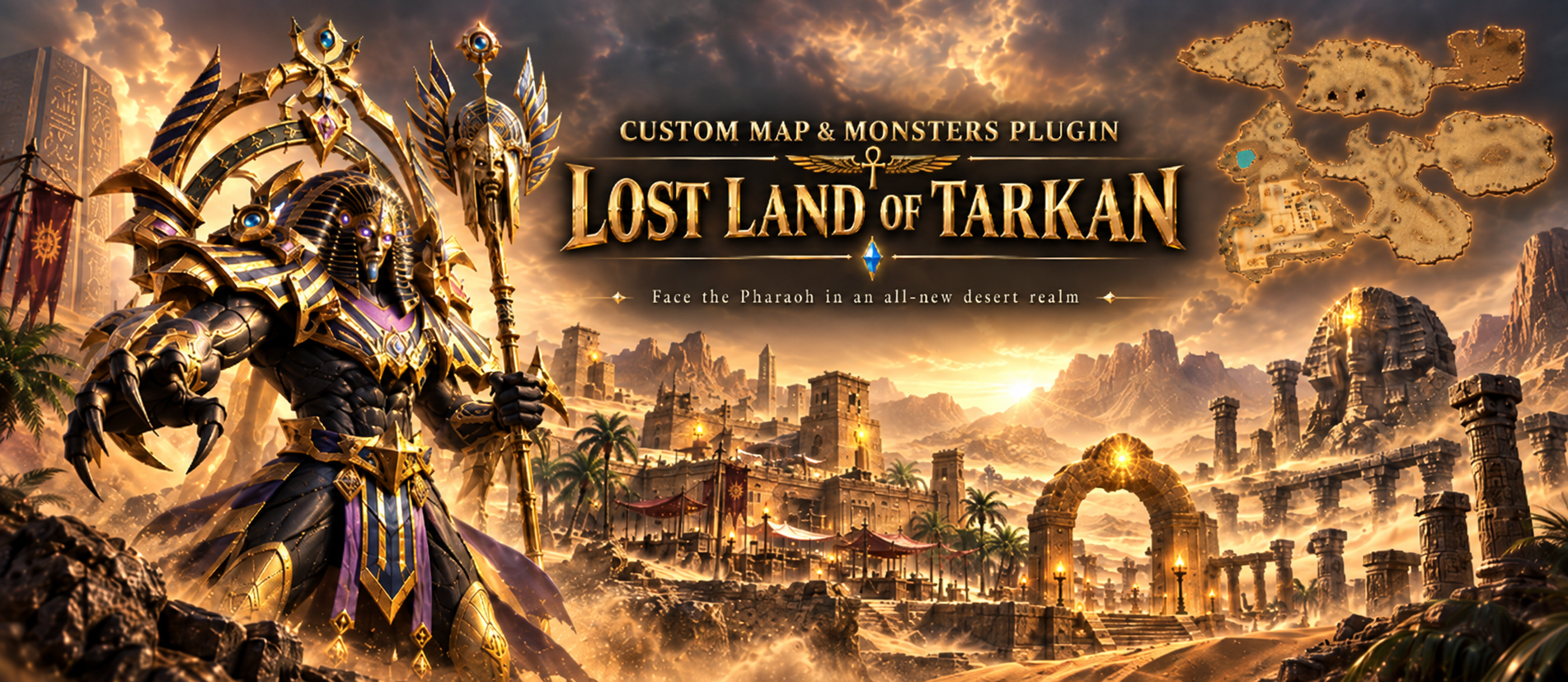 Custom Maps & Monsters: Build Your Own Worlds and Bosses in Pure Lua A new plugin for the LuaAPI ecosystem. New playable worlds and monsters from your own models, scripted entirely in Lua. Adding a world or a monster of your own to MU used to mean the same thing every time: a client developer, map limits hardcoded in the binary, and a fresh build for every model and every effect. Custom Maps & Monsters takes that wall down. Register a world, put your own models on monsters and NPCs, and give both a Lua script that runs every frame. No client patching, no rebuild. What it is Custom Maps & Monsters adds two things the client was never built for: playable worlds above the original map range, and monsters drawn from your own models. Both are configured from encrypted files, and both can be scripted in Lua. The plugin is what brings a world into the game - it does not draw one. Worlds are made and edited in MU World Creator, which is also the only way to generate a mini-map for them. Worlds the client never shipped with Register a map and it behaves like any other: warps, gates, spawns, its own music. From there a per-frame Lua script owns everything you see. Scenery animation: scrolling water, breathing lava, smoke vents, anything you can drive per frame Weather: written in Lua, from drifting snow to storms with lightning Distance fog: per map, with the sky behind the terrain matched to it Object culling: scenery past the fog is skipped, and fades out instead of popping Fading roofs: buildings open over the player, from a table or from a script Ambient sound and birds: placed slots and flocks, driven from the same script Fog and culling work on the original maps too, not only on new ones. Monsters from your own models Your own .bmd models on monsters and NPCs: scaled, tinted and lit A second render pass: glows, beams and crystals drawn over the body Attack effects: your own, or borrowed from any monster the client already has Player skills on monsters: the client draws its half, your script adds the rest Per monster: weapon slot, move speed, sound actions and render flags Built for fast iteration While the server grants dev mode to your account, the same folders load plain .lua and a console shows script errors as you work. The API is identical either way, so you develop in .lua and ship .gsc. Scripts and terrain are packed with your own 32-character key, so players load your work but can never read, copy or edit it. See it working The plugin ships with a finished map and boss you can put on your server as they are: the town of Lost Land of Tarkan and the Pharaoh boss. Beside them sit two reference builds, there to be read and copied from: Tarkan Copy, world 160 — a copied world, registered, with its scenery and weather scripted Hydra, monster 2498 — a custom model with a second render pass, lights and attack effects Every page of the documentation builds on those two rather than inventing a new toy, and both can be deleted without breaking anything else. One tool in the box IGC File Encrypt — packs terrain, scripts and config files for a live client, and renumbers a copied world in one pass Where to buy? The Custom Maps & Monsters plugin can be purchased from our store. Availability and documentation Full step-by-step documentation - from registering your first world to monster skills and the wire format — is on the wiki. Screenshots2 points
 -
The same as CastleSiegeDisable="1" ArcaBattleDisable="1" for each skill in SkillAOETargetting.xml for enable/disable "splash" damage but in MapAttribute.xml for each map. Characters like IK, SL in Gens Maps, can hit characters far away than 8 range. One IK right in front of other character, hitting him. The IK damage can "bounce" to characters that are not even in the screen. This "issue" could be solved if we were able to enable/disable skills like in SkillAOETargetting.xml Or add a parameter GensMapDisable="X" (for example) in each skill line in SkillAOETargetting.xml Thanks.2 points
-
 We are pleased to announce that Season 6 product has received new life and continues its development path with significant improvements introduced in version 6.1.0.83 and further enhanced in 6.1.0.84. Major Product Restructuring The Season 6 product underwent complete reorganization in version 6.1.0.83, bringing its architecture in line with our Premium Plus product structure. The internal foundation has been rebuilt to enable long-term development and gradual feature alignment with higher seasons. Core improvements included: Complete product files reorganization Updated internal structure matching Premium Plus standards Introduced modern monster spawn file structure from higher Seasons Resolved various gameplay and event configuration issues LuaAPI Plugin – Complete Server Scripting Solution Version 6.1.0.84 introduces LuaAPI plugin support for Season 6 (available from store). The plugin is also available for Season 21+ starting from version 21.1.2.4 S. This is not a simple scripting addition. This is a complete server programming interface that gives you direct access to the game server internals without touching a single line of C++ code. What you get: 98+ API functions — players, monsters, items, buffs, stats, inventory, combat, movement, timers and more 44+ event hooks — kills, logins, level ups, shop transactions, map changes, commands, server lifecycle 20+ namespaces — logically grouped, nothing hard to find 9+ data structures — full access to player, monster, item and query result objects The plugin allows server owners and developers to build custom gameplay solutions, automated systems, custom events, special mechanics, and pretty much anything that requires server-side logic—all written in Lua. No recompilation. No DLL modifications. Just clean, maintainable scripts. Complete documentation available at: LuaAPI Reference What's Next? Season 6 is now on active development track alongside our higher season products. Expect continued improvements, bug fixes, and feature additions as we bring this product up to modern standards. The LuaAPI plugin is available now from our store and represents a significant step forward in customization capabilities for Season 6 and Season 21+ servers. LuaAPI plugin available from Store2 points
 -
Version 21.1.2.1
710 downloads
IGC.Essential Tools is fully featured application that allows to manage server very easy way. Numerous of aspects covered makes looking after the Server a piece of cake. Essential Tools in version v21.1.2.0 and newer is dedicated for server files of Season 21 Part 1-2, starting from 21.1.2.0 files version, it is not compatible with older Seasons. Version for lower Seasons can be found here Modules of the tool Account Editor Character Editor Item Editor Mix Lost Items Restore DefaultClassType Editor Gremory Case Editor Buffs Manager Character Location Editor Skills Editor Guild Editor Marriage Editor Gens Editor Ban Manager Castle Siege Manager VIP Manager Game Master Manager InGameShop Items Editor (CashShop Gift/Normal Inbox) Items Reserializer Database Management Search and Delete empty Accounts / Characters Clean Inactive Accounts Search and delete duped Items Database Backup manager Character Experience Fixer Item's structure converter to IGC.Format and more. Utilities Item Finder Account Finder Status Checker Requirements - Download & Install .NET Framework 4.8 (including available Windows Updates SharedManagementObjects 2014 SQLSysClrTypes 2014From €580.002 points -
Version 20.2.2.7 S
2,013 downloads
This is x20 series of Server Suite package (S20 Part 2-2). This submission contains Full Server Suite Package of latest stable version for the series and three of most recent updates which have to be downloaded on regular basis as are being overwritten automatically with new update releases. Summary of reported and resolved issues is provided within below change-log and per specified version in the Bug Tracker If you want to be notified of further updates on this submission, make sure to follow it by clicking follow button at the top-right. CONFIG CHANGES: srv-config/x20-P2-2 Interested in participating in DEV and help testing BETA releases? Check for TEST versions availability trough versions tracker. Relevant notes are attached directly to relevant TEST version.From €580.002 points -
you can create your own event using Lua API & Lua UI plugin.1 point
-
It seems like the promised Season 6 update has been left behind. It's been 3 years since the last update, and we're still waiting for the new features that were promised by the devs. As customers, it's frustrating to see such a long wait with no updates or communication.1 point
-
I would like to share my personal experience with IGCN Season 6. Before purchasing these files, I tested and worked with several other Season 6 alternatives. Some offered many custom features, but in my experience they often moved too far away from the classic MU Online concept or were not stable enough for the kind of serious project I wanted to build. At first, I had high expectations for IGCN Season 6 because of IGCN's reputation. During my testing I found some issues, and some fixes naturally took time. However, after following the updates and Bug Tracker, my experience has been positive. The important thing for me is that reported problems are actually investigated and fixed properly, instead of applying quick fixes that may create new problems elsewhere. Another thing I really appreciate is that classic does not mean limited. IGCN Season 6 has a huge amount of internal configuration and some options I have not seen in other files. You can customize many aspects of the server, from small details to important gameplay and balance changes. This allows you to create a unique server without losing the original Season 6 foundation. There are also optional plugins and Lua scripting possibilities for administrators who want additional functionality. Some of these options have an additional cost, but that is completely optional and allows each administrator to decide how far they want to customize their project. Personally, my priority is simple: a classic, stable and reliable Season 6 that respects the original MU Online experience, with the freedom to customize it when necessary. IGCN is giving me exactly the kind of foundation I was looking for. I am still testing and preparing my server before its official launch, but I am happy with the progress and with the recent attention being given to Season 6. For anyone who is unsure about purchasing these files and is looking to build a serious classic Season 6 project, based on my experience so far, IGCN Season 6 is an excellent alternative that I can confidently recommend. I hope the team continues improving Season 6, fixing reported issues and considering community suggestions. 👍1 point
-
1. BC bug was fixed while ago. make sure you updated your monster spawns with released updates. 2. IT should work, nobody reported any issue 3. VIP expiration cannot cause mass DC. This is misleading statement. There should be bug report created for the case and logs should be attached, so we may identify reason of DC. VIP expiration cause DC of specific character and this is how it works (and will be) since always on every Season and never was a reason of complaints.1 point
-
We will add option in future release.1 point
-
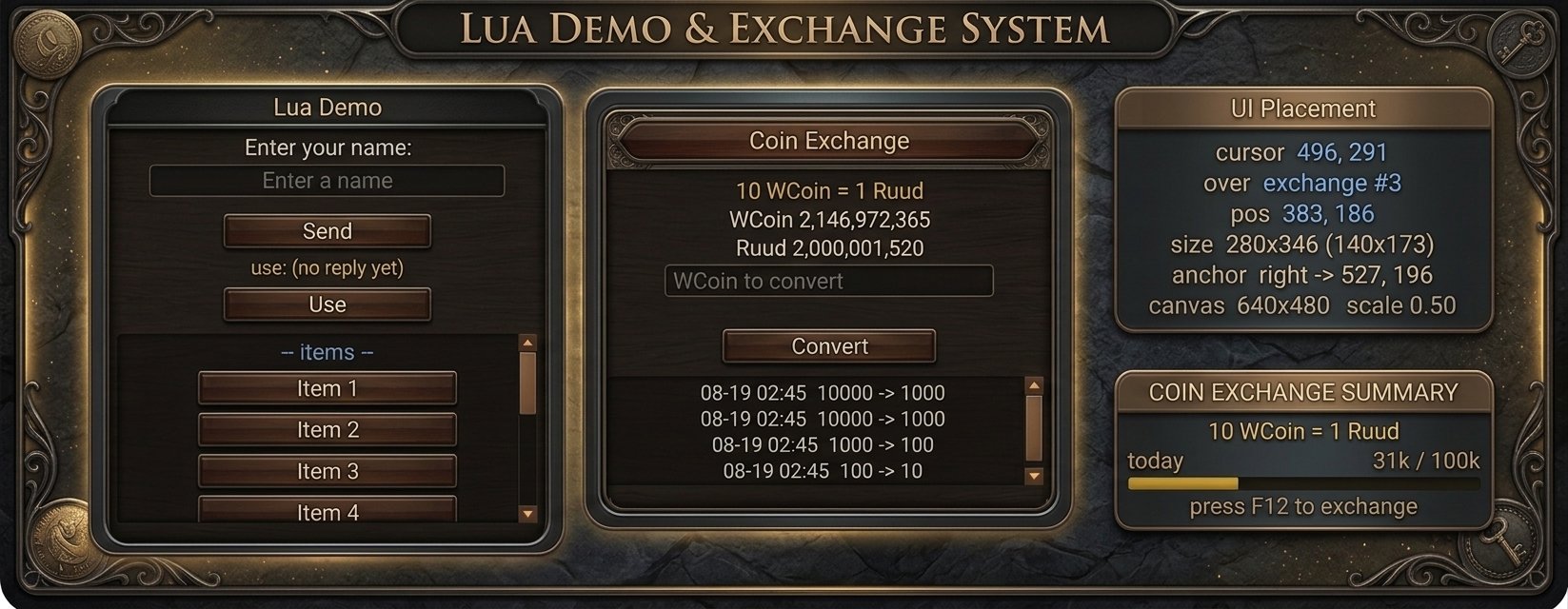 LuaUI Extension: Build Your Own In-Game Interfaces in Pure Lua A new plugin for the LuaAPI ecosystem. Custom windows, HUDs and panels, scripted entirely in Lua, client and server. Adding a real interface to your client used to mean one thing: a DLL developer, C++, and a recompile for every change. LuaUI Extension takes that wall down. Design your own in-game windows, HUDs and panels, wire them to the GameServer, and ship them, all in Lua. No client patching, no server rebuild. What it is LuaUI extends the LuaAPI Core plugin with a full window system that lives on both sides of the connection. A window is two scripts: a client half that draws it, and a server half that decides what it may do. They talk over a request/answer protocol you define, so a button on screen can run server logic, hit your database, and send a result straight back to the player. Both halves are plain Lua files in your scripts folder. Nothing is registered, nothing is compiled. Windows that look like they shipped with the client Your windows are drawn with the game's own frame artwork, so they sit alongside the native interface instead of looking bolted on. Want something custom instead? Skin them yourself from shapes or from your own bitmap atlases. Build floating windows the player opens and drags, or permanent HUD panels that stay on screen the whole session. Inside them you get real, interactive controls: Labels, buttons, images and panels Scrollable lists, with a scrollbar styled in colours or cut from your own bitmap Text fields with per-keystroke validation, including CJK input through IME Localised out of the box On-screen text comes from a per-language file, so a single window renders correctly for every client language you run. No duplicating windows per locale. Built for fast iteration Turn on dev mode for the accounts you name, and building becomes quick: F9 hot-reload: edit a script, save, and see it in-game with no restart An in-game debug console for printing live values as you work When it is ready, ship your scripts encrypted so players load them but can never read, copy or edit your source. Two tools in the box BitmapSlicer carves a UI atlas into named slices and exports them as ready-to-paste Lua cut tables (or JSON, C++, PNG) IGC File Encrypt turns your finished client scripts into encrypted files with one click See it working The plugin ships with a full Coin Exchange window as a worked example: a WCoin to Ruud converter with a live HUD ticker, a scrolling history list and a voucher field, its daily allowance and history persisted in the database. It is there to read and copy from, and the documentation builds it up piece by piece. Where to buy? The LuaUI Extension can be purchased from our store. LuaUI Core is required prior purchase. Availability and documentation LuaUI extends the LuaAPI Core plugin and requires it. Full step-by-step documentation, from your first window to the wire protocol, is on the wiki.1 point
 -
I would like to suggest add 3 extra function. 1) Function Party.DelMember - Gives the ability to delete a member from the party. 2) Function Party.ChangePartyLeader - Gives the ability to change party leader 3) Function Party.AddMember - Gives the ability to add players to the party.1 point
-
this update contains Part 1-3, Part 2-1, Part 2-2, Part 2-3 😉1 point
-
 We are pleased to announce the release of the Season 21 Part 2-3 Update. This update introduces new hunting zones, expanded character progression, new equipment tiers, and significant character stat and skill system adjustments across multiple classes. Players can now venture into the mysterious Raklion of Oblivion, challenge dangerous monsters in the new Elite Zones, obtain the 8th Guardian Rhino, and strengthen their characters with 9th Mastery Earrings and the new 2nd Legendary Equipment for Crusader. Update Highlights New hunting map: Raklion of Oblivion New Raklion of Oblivion and Aquilas Temple Elite Zones New 8th Guardian Rhino and Rhino (Rare) guardians 2nd Legendary Equipment added for Crusader (Sets, Hammers, Shields) New Earring of Compassion Increased maximum level (up to 1800) and updated Season rewards Character Renewal for selected classes (Elf, Magic Gladiator, Illusion Knight) Combat Power system introduction and class-based attack types (Gale / Chaos / Illusion) Skill formula migration from Lua scripts to FormulaData.xml for selected classes Item stat requirement system simplification (requirements no longer scale with item level) Socket Item enhancement rate adjustments (Chaos Combination system update) Cry Wolf event renewal and updated Boss Battle Together event monster attributes Various gameplay improvements, system optimizations and bug fixes Detailed Patch Notes For those interested in the complete breakdown of every feature and balance adjustment, please refer to the official articles below: New Map: Forgotten Raklion Forgotten Raklion Elite Zone Aquilas Temple Elite Zone 8th Guardian Rhino Crusader 2nd Legendary Equipment 9th Mastery Earrings Maximum Level Expansion & Season Rewards Character Stat Improvements Equipment Required Stat Changes Socket Item Enhancement Rate Changes Gameplay Improvements Gameplay & System Improvements We invite everyone to explore the new content and experience the latest balance and progression changes introduced in the update. Test Versions The test version is available only for Customers who upgraded their SeasonPass to level 12. All test versions are limited in time and will be shut down after launch of official release. Limiting the test version to actual holders of required SeasonPass meant to avoid running live servers on early test versions by Customers not owning the pass what had negative impact on the MU market and its community. SeasonPass The Season Pass for Season 21 Part 2-3 Pass can be purchased at price of €250. To proceed, go to License Manager and click Manage SeasonPass.1 point
 -
Next update from 21.1.2.19 // ~ 53: Max SD Bonus // ~ 54: Attack Speed Bonus Bonus // ~ 55: Elemental Critical Rate Bonus+ (Value / 100 = %) e.g +500 = 5% // ~ 56: PVE Damage Increase Bonus1 point
-
I really need this callback.1 point
-
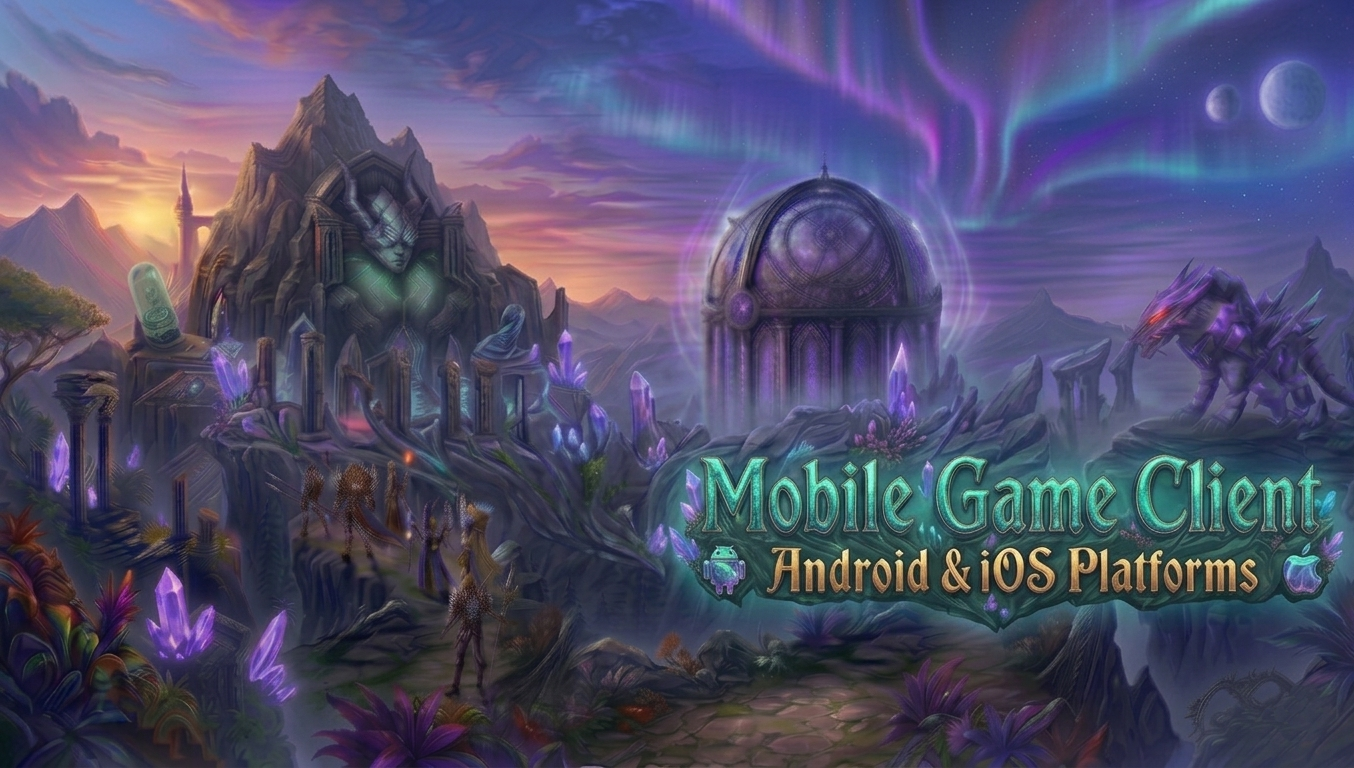 Mystic Continent - Closed Alpha Test Server Opening April 13th We are pleased to announce that the Mystic Continent Closed Alpha test server will go live on April 13th, 2026 at 12:00 PM (GMT+2). Starting from that moment, the game client will be available for download on both iOS and Android - and eligible customers will be able to log in, explore, and start testing. Who Can Participate? Access to the Closed Alpha is exclusively available to customers with an active IGC.Premium or IGC.Premium Plus subscription on the IGCN platform. Portal registration opens on April 13th at 12:00 PM (GMT+2) alongside the server launch - head over to https://mc.igcn.mu and sign up using the e-mail address linked to your IGCN account (you can find it under Settings - Email Address at https://www.igcn.mu/settings). How to Get Started Starting April 13th at 12:00 PM (GMT+2), getting into the game is straightforward: Register at https://mc.igcn.mu using your IGCN e-mail address Log in to your portal account and navigate to Dashboard - Game Accounts Click Create Game Account, set your login and password The download link will be available in the Downloads section after signing in Install the client on your iOS or Android device and start playing Each portal account supports up to 3 game accounts during the testing period. What to Expect Mystic Continent is a Proof-of-Concept mobile MMORPG - a standalone iOS and Android client designed to introduce cross-play with existing IGCN server communities. The Closed Alpha is an early testing phase. Features, content and availability are subject to change at any time. The primary goal of this phase is to gather real-world feedback to help us refine performance, balance, and the overall experience ahead of a wider release. Minimum device requirements: Android: Device released 2020 or later, Android 7.0+, OpenGL ES 3.0, 2 GB RAM minimum (4 GB recommended), 5 GB free storage iOS: iPhone 13 or newer, iPad Air 5th gen or newer, or any iPad / Mac with M1 chip or later Found a Bug? Please report all issues directly in our Bug Tracker. Before submitting, check the Feature Status on the Roadmap at https://mc.igcn.mu/roadmap - if a feature is marked as Partial or Not available, it is already on our radar. Your reports help us prioritise what matters most. Join the Discussion For discussions, feedback and general chat about the Closed Alpha, join us in the #mobile-client channel on the official IGCN Discord server. We look forward to seeing you in-game on April 13th. See you on the Continent.1 point
 -
Nice idea.. include "Ice Wind Event" in this feature1 point
-
I have a question, and it's not specified there. Will the new client be a product only for iOS and Android? Will there be a remastered desktop version of the emulator's base game client as a whole, or is the goal only iOS and Android?1 point
-
Everything is explained in the FAQ1 point
-
Hello, I would like to know if it's possible to add a function to limit the number of players in the ARCAWAR Event. Considering that when there are more than 120 players in the event, it becomes impossible to play. Lots of disconnects, lots of lag, lots of problems with the client crashing. I've already tested with 60-90 players, and it's possible to have good gameplay. <ArcaBattleEvent Enable="1" FriendlyFire="0" MinGuildMember="10" DestroyPartyWhenEnter="1" MasterRegTime="10" MemberRegTime="10" ProgressWait="3" PartyWait="5" Duration="30" ChannelClose="10" TowerBuffRewardExp="15"> Currently, the default configuration is like this. Would it be possible to add it this way: <ArcaBattleEvent Enable="1" FriendlyFire="0" MinGuildMember="10" MaxGuildMember="21" DestroyPartyWhenEnter="1" MasterRegTime="10" MemberRegTime="10" ProgressWait="3" PartyWait="5" Duration="30" ChannelClose="10" TowerBuffRewardExp="15"> Added MaxGuildMember="xxxx"1 point
-
You can change max limit in SQL stored procedure "IGC_ArcaBattleGuildMemberInsert": SELECT @GuildNum = Number FROM IGC_ARCA_BATTLE_MEMBER_JOIN_INFO WHERE Number = @Number IF( @@ROWCOUNT >= 30 ) BEGIN SET @return = 9 GOTO EndProc END1 point
-
Hello, would it be possible to implement a PvP damage reduction system that varies according to map? It would be interesting to create a customized system, allowing for organization and addition same damage reduction functions as in the ARKA and Castle Siege events. Like: onTotalDamageClass() onTotalDamageMap()1 point
-
Also, please add "Increase PvE damage %". Will be very useful. 🙂1 point
-
The "ESC" key could close custom windows, just like it does with all other game interfaces.1 point
-
Please improve hunt point plugin by adding these options that other s20-21 servers have on their hunt points system along with special table for the info, these options are a must for such system Current options we have are useless and weak, not even exciting to players1 point
-
@Wizzy It would also be interesting to update the other plugins, as we are really limited. I recently saw some servers using a .lua system integrated into the server and client, enabling developers to build a multitude of new features. And this ends up putting us in a complicated situation because currently some plugins need improvements. It would also be very interesting to update the custom options for mages; most plugins seem to focus only on physical damage or on characters whose damage base is melee.1 point
-
Please give us probabilities of 1/10000 or even 100k better to can control the options on high attack speed PvP system. 1% as minimum limit force us to not use many of the special options as they trigger constantly, even in original gameplay speeds 1% is high for some options1 point
-
I confirm the situation. Basically, even when setting some options to 1%, they trigger constantly after one player attacks another. It would be good to have more control over this.1 point
-
 We are pleased to announce pre-sale of Season 21 Part 1-2 | Legendary Imperial Items New update changes The update brings number of new features and extends range of existing ones. Update content [NEW] Crusader Items Cloaks 2nd, 3rd, 4th, 5th 2nd to 3rd Mastery Sets, Weapons and Shields 1st Legendary Set, Weapon and Shield Archangel and Blessed archangel Weapons [NEW] Secondary Legendary (Imperial) Sets, Weapons and Shields (except Crusader's) [NEW] Aquilas Temple Map and Monsters [NEW] Alchemist and Crusader Muuns [NEW] Extended Chaos Mix UI options and Mastery Mixes [NEW] Wings Talisman Item Mixes [MOD] Extended maximum level to 1750 [MOD] Updated events entry levels range Test Versions The test version is available only for Customers who upgraded their SeasonPass to level 11. All test versions are limited in time and will be shut down after launch of official release. Limiting the test version to actual holders of required SeasonPass meant to avoid running live servers on early test versions by Customers not owning the pass what had negative impact on the MU market and its community. SeasonPass Sale We open ability to get Season 21 Part 1-2 Pass at price of €85. To find out the deal visit License Manager and click Manage SeasonPass.1 point
 -
added option to set custom background color for selected cells, using right click on cell will be part of 1.15.1.0 update1 point
-
Version 21.1.1.0
312 downloads
IGC.Essential Tools is fully featured application that allows to manage server very easy way. Numerous of aspects covered makes looking after the Server a piece of cake. Essential Tools in version v21.1.1.0 and newer is dedicated for server files of Season 21 Part 1-1, starting from 21.1.1.0 files version, it is not compatible with older Seasons. Version for lower Seasons can be found here Modules of the tool Account Editor Character Editor Item Editor Mix Lost Items Restore DefaultClassType Editor Gremory Case Editor Buffs Manager Character Location Editor Skills Editor Guild Editor Marriage Editor Gens Editor Ban Manager Castle Siege Manager VIP Manager Game Master Manager InGameShop Items Editor (CashShop Gift/Normal Inbox) Items Reserializer Database Management Search and Delete empty Accounts / Characters Clean Inactive Accounts Search and delete duped Items Database Backup manager Character Experience Fixer Item's structure converter to IGC.Format and more. Utilities Item Finder Account Finder Status Checker Requirements - Download & Install .NET Framework 4.8 (including available Windows Updates SharedManagementObjects 2014 SQLSysClrTypes 2014From €580.001 point -
Would it be possible to add this function to the Ice Wind Valley plugin?. Leave the skill target. It would be ideal, since several skills are giving an absurd LAG even using anti-lag. <Skill Index="2071" CastleSiegeDisable="1" ArcaBattleDisable="1" IceWindValleyDisable="1" Name="Pierce Attack of Saturation" />1 point
-
If it's a season pass, you only have to pay the fee when the season changes, but you shouldn't be charged the season pass fee even when the part changes.1 point
-
Every part brings new features and requires us to work on same things over again, e.g. game client mods need to be completely ported to new version of game client. You do not pay much for the work done. Usually it is amount from a range of €70 to €150. The amount should be easily collectable from players on donation basis or sale of items/coins.1 point
-
Version 20.1.2.1
610 downloads
IGC.Essential Tools is fully featured application that allows to manage server very easy way. Numerous of aspects covered makes looking after the Server a piece of cake. Essential Tools in version v20.1.2.0 and newer is dedicated for server files of Season 20 Part 1-2, starting from 20.1.2.0 files version, it is not compatible with older Seasons. Version for lower Seasons can be found here Modules of the tool Account Editor Character Editor Item Editor Mix Lost Items Restore DefaultClassType Editor Gremory Case Editor Buffs Manager Character Location Editor Skills Editor Guild Editor Marriage Editor Gens Editor Ban Manager Castle Siege Manager VIP Manager Game Master Manager InGameShop Items Editor (CashShop Gift/Normal Inbox) Items Reserializer Database Management Search and Delete empty Accounts / Characters Clean Inactive Accounts Search and delete duped Items Database Backup manager Character Experience Fixer Item's structure converter to IGC.Format and more. Utilities Item Finder Account Finder Status Checker Requirements - Download & Install .NET Framework 4.8 (including available Windows Updates SharedManagementObjects 2014 SQLSysClrTypes 2014From €580.001 point -
Version 1.15.4.0
15,856 downloads
IGC.ToolKit (Premium) is advanced tool of wide range of possibilities to maintain the server in all the meaning of the word. Free version (limited) of this tool is available for IGC.Customers. Overview PC Requirements Windows Vista / 7 / 8 / 8.1 / 10 / 11 - x64 OS Internet Connection always online as long as IGC.ToolKit (Premium) application is running (no Offline mode) .NET Framework 4.6.2 Installed Visual C++ 2015 Redistributable PackageFrom €105.001 point -
Version 19.1.3.9 S
6,097 downloads
This is x19 series of Server Suite package (S19 Part 1-3). This submission contains Full Server Suite Package of latest stable version for the series and three of most recent updates which have to be downloaded on regular basis as are being overwritten automatically with new update releases. Summary of reported and resolved issues is provided within below change-log and per specified version in the Bug Tracker If you want to be notified of further updates on this submission, make sure to follow it by clicking follow button at the top-right. CONFIG CHANGES: srv-config/x19-P-1-3 Interested in participating in DEV and help testing BETA releases? Check for TEST versions availability trough versions tracker. Relevant notes are attached directly to relevant TEST version.From €580.001 point -
Nobody forces you to update. You are free to use the version you have now and update whenever you feel conformable to do so. I also would recommend to review your attitude and avoid calling someone a thief, as how you would call somebody wanting to use somebody's else work for free or close to free and gain profit on it?1 point
-
Version 1.8.0.0
2,751 downloads
IGC.ToolKit (Lite) is editor that allows modifying basic files of Game Client. Supported files and features are listed below. More extended (paid) version is available from here. Features: Encoding selection option Lang.mpr Encoder/Decoder ServerInfo.bmd maker IGC Monster.bmd IGC Glow.bmd Item.bmd Editor ItemTRSData.bmd ItemSetType.bmd Editor ItemSetOption.bmd ItemAddOption.bmd ItemTooltip.bmd ItemTooltipText.bmd RuudShopViewInfo.bmd MoveReq.bmd Editor NPCName.bmd Editor ServerList.bmd Editor Skill.bmd Editor SocketItem.bmd Editor CRC Value Calculator Item.bmd stats calculator News Manager NOTE: Can be only opened on IGC.Registered Machine. Application is part of service that comes with one of available subscriptions of premium access. Cannot run the application? Application Crash? Make sure you have .NET 4.6.2 installed: .NET 4.6.2From €330.001 point -
its better to focus on one thing and maintain it 100% i wouldnt recommend igcn for this plans yet since webzen will keep coming and coming with new updates/episodes it seems and there is enough work to do i guess, but who knows =)1 point